Updating GitHub Desktop
-
In the menu bar, select GitHub Desktop, then click About GitHub Desktop.

-
In the modal window, click Check for Updates.

-
If an update is available, quit and relaunch GitHub Desktop to install the update.


Resolving a crash at launch by updating GitHub Desktop
If you encounter a crash when attempting to launch GitHub Desktop versions 3.0.2 through 3.1.3, download the latest version from the GitHub Desktop site, then replace your existing application with the new version. Your preferences and tracked repositories will be retained.
- Navigate to the GitHub Desktop site.
- Download the latest version of GitHub Desktop.
- In your "Downloads" folder, locate the downloaded application.
- If the downloaded application is in a zip file, unpack the file by double clicking on the zip file.
- Drag the GitHub Desktop application from your "Downloads" folder to the "Applications" folder.
- Approve the dialog asking if you want to replace the existing application.
- Launch GitHub Desktop.
- Approve the prompt stating that application was downloaded from the internet.
-
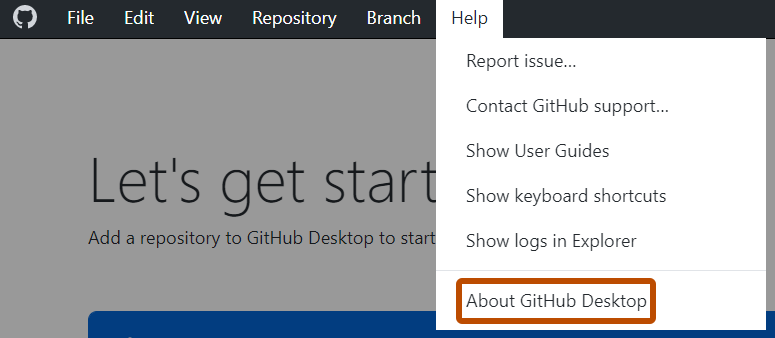
In the menu bar, select Help, then click About GitHub Desktop.
-
Click Check for Updates.
-
If an update is available, quit and relaunch GitHub Desktop to install the update.
