此版本的 GitHub Enterprise Server 已于以下日期停止服务 2026-03-17. 即使针对重大安全问题,也不会发布补丁。 为了获得更好的性能、更高的安全性和新功能,请升级到最新版本的 GitHub Enterprise。 如需升级帮助,请联系 GitHub Enterprise 支持

设置 GitHub Desktop 的主题

您可以设置主题以自定义 GitHub Desktop 的外观。

Platform navigation

  1. In the menu bar, select GitHub Desktop, then click Settings.
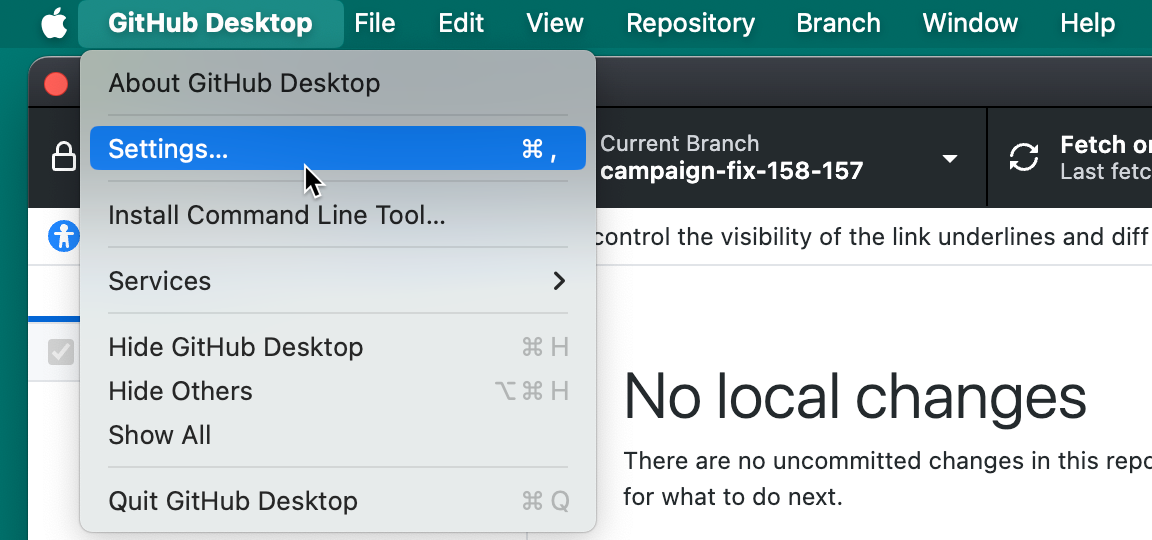
    Screenshot of the menu bar on a Mac. Under the open "GitHub Desktop" dropdown menu, the cursor hovers over "Settings", which is highlighted in blue.

  2. Click the Appearance pane.

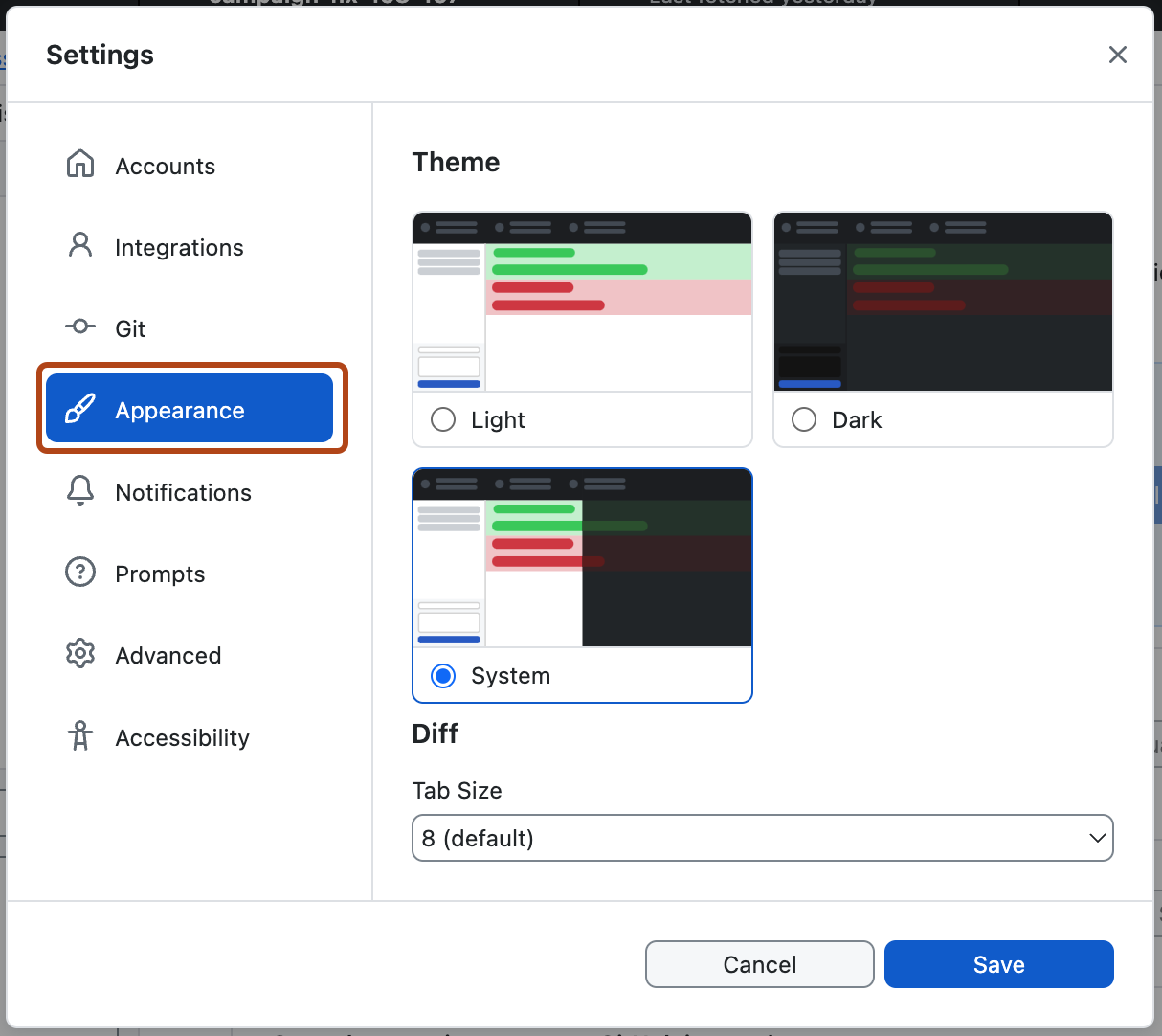
    Screenshot of the "Settings" window. In the left sidebar, the "Appearance" option is highlighted in blue and outlined in orange.

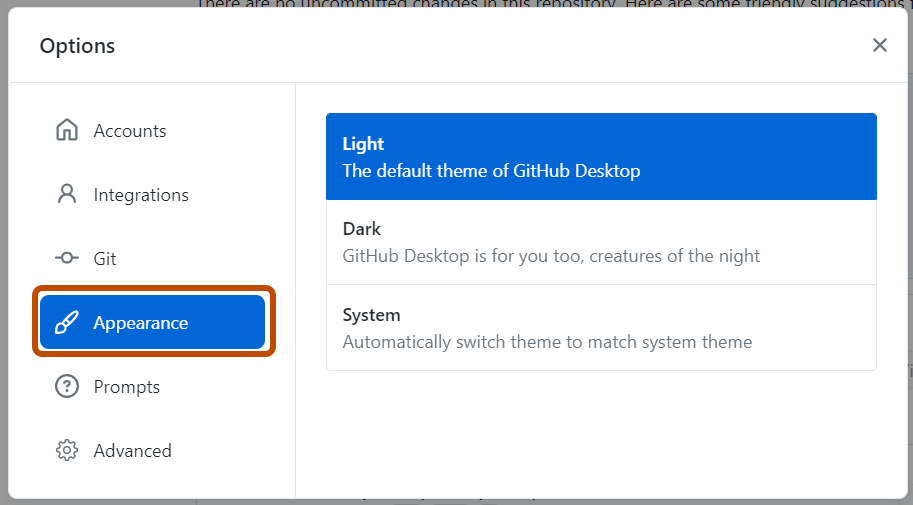
    Screenshot of the "Options" window. In the left sidebar, the "Appearance" option is highlighted in blue and outlined in orange.

  3. Click the theme you'd like to use. If you want GitHub Desktop to always match the theme on your computer, select System.

  1. Use the File menu, then click Options.

    Screenshot of the "GitHub Desktop" menu bar on Windows. In the expanded "File" dropdown menu, the "Options" item is outlined in orange.

  2. Click the Appearance pane.

    Screenshot of the "Settings" window. In the left sidebar, the "Appearance" option is highlighted in blue and outlined in orange.

    Screenshot of the "Options" window. In the left sidebar, the "Appearance" option is highlighted in blue and outlined in orange.

  3. Click the theme you'd like to use. If you want GitHub Desktop to always match the theme on your computer, select System.