
此版本的 GitHub Enterprise Server 将于以下日期停止服务 2026-04-09. 即使针对重大安全问题,也不会发布补丁。 为了获得更好的性能、更高的安全性和新功能,请升级到最新版本的 GitHub Enterprise。 如需升级帮助,请联系 GitHub Enterprise 支持

卸载 GitHub Desktop

您可以随时从计算机卸载 GitHub Desktop。

Platform navigation

  1. Open the Finder on your Mac and navigate to the "Applications" folder.

  2. Right-click GitHub Desktop and click Move to Trash.

  3. In the menu bar, select the Finder dropdown menu, then click Empty Trash.
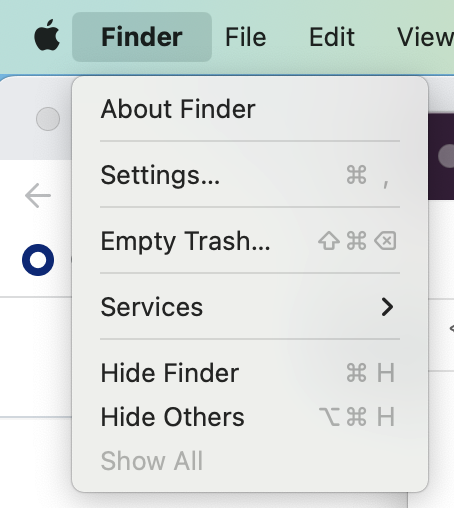
    Screenshot of the menu bar on a Mac. The "Finder" dropdown menu is expanded.

  4. Read the warning in the pop-up box and click Empty Trash.

  1. Open the Start menu, then search for and open Control Panel.
  2. Under "Programs", click Uninstall a program.
    Screenshot of a window labeled "Adjust your computer's settings". A link, labeled "Uninstall a program", is highlighted with an orange outline.
  3. Right-click the entry named GitHub Desktop, then click Uninstall.