Introduction
You can configure Copilot 코드 검토 to review pull requests automatically. For an overview of automatic pull request reviews, see GitHub Copilot 코드 검토 정보.
Configuring automatic code review for your own pull requests
참고
This is only available if you are on the Copilot Pro or Copilot Pro+ plan.
-
페이지의 오른쪽 위 모서리에서 프로필 사진을 클릭한 다음, Copilot settings를 클릭합니다.
-
Locate the Automatic Copilot 코드 검토 option and click the dropdown button.
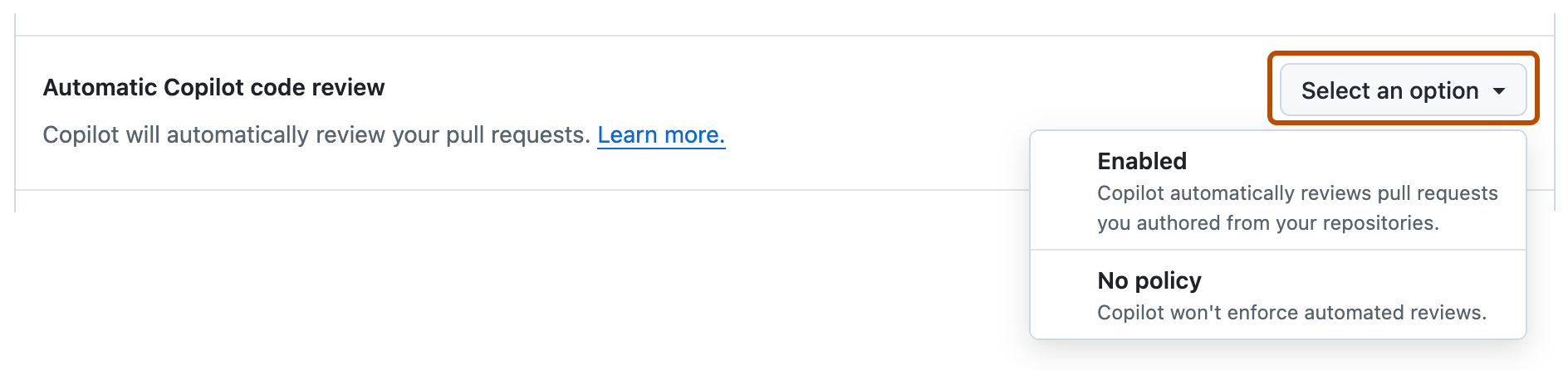
-
In the dropdown menu, select Enabled.

Configuring automatic code review for a single repository
-
GitHub에서 리포지토리의 기본 페이지로 이동합니다.
-
리포지토리 이름 아래에서 Settings를 클릭합니다. "설정" 탭이 표시되지 않으면 드롭다운 메뉴를 선택한 다음 설정을 클릭합니다.

-
왼쪽 사이드바의 "코드 및 자동화"에서 규칙을 클릭한 다음 규칙 세트를 클릭합니다.
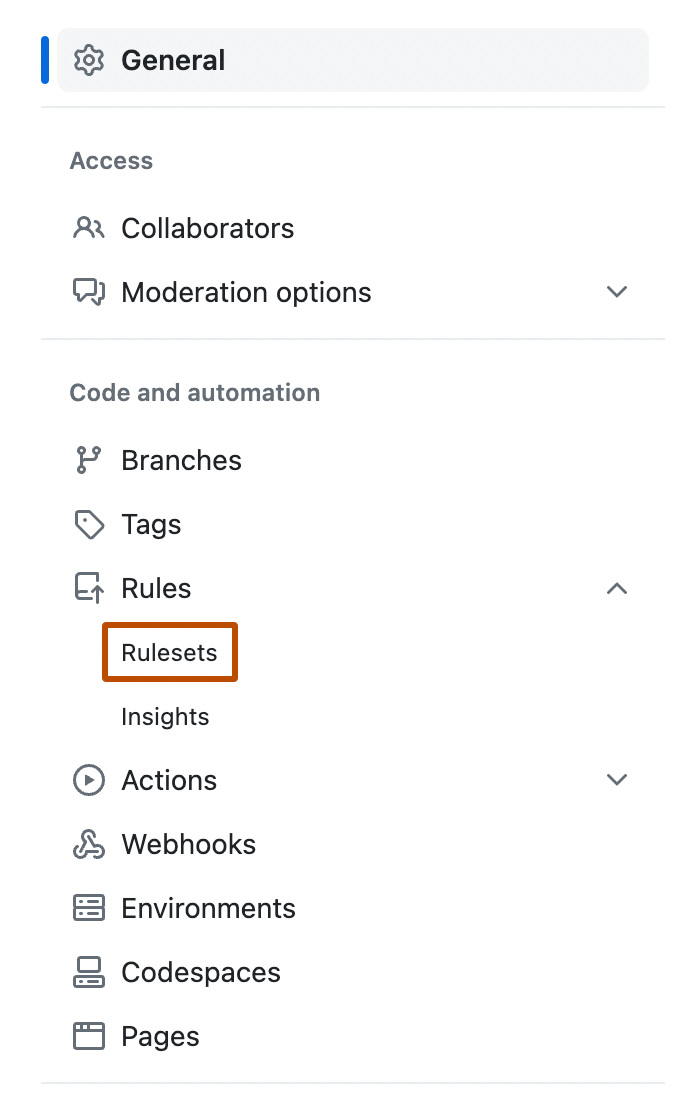
-
새 규칙 세트를 클릭합니다.
-
새 분기 규칙 집합을 클릭합니다.
-
"규칙 집합 이름" 아래에 규칙 집합의 이름을 입력합니다.
-
규칙 집합을 활성화하려면 "Enforcement Status"에서 Active를 선택합니다.
-
Under "Target branches," click Add target and choose one of the options—for example, Include default branch or Include all branches.
-
"Target branches"에서 Add target을 클릭하고 대상 옵션 중 하나를 선택합니다.
-
"Branch rules"에서 Automatically request Copilot 코드 검토 를 선택합니다.
이렇게 하면 자회사 옵션 집합이 확장됩니다.

-
선택적으로, Copilot이 끌어오기 요청에 대한 모든 새 푸시를 검토하도록 하려면 Review new pushes를 선택합니다.
이 옵션을 선택하지 않으면 Copilot은 끌어오기 요청을 한 번만 검토합니다.
-
선택적으로, Copilot이 초안 상태인 끌어오기 요청을 검토하도록 하려면 Review draft pull requests를 선택합니다.
이는 사용자 검토를 요청하기 전에 오류를 조기에 발견하는 데 유용한 옵션이 될 수 있습니다.
-
페이지 아래쪽에서 Create를 클릭합니다.


Configuring automatic code review for repositories in an organization
-
GitHub의 오른쪽 위 모서리에서 프로필 사진을 클릭한 다음, Your organizations를 클릭합니다.
-
조직 옆에 있는 설정을 클릭합니다.
-
왼쪽 사이드바의 "Code, planning, and automation" 섹션에서 Repository를 클릭한 다음 Rulesets를 클릭합니다.

-
새 규칙 세트를 클릭합니다.
-
새 분기 규칙 집합을 클릭합니다.
-
"규칙 집합 이름" 아래에 규칙 집합의 이름을 입력합니다.
-
규칙 집합을 활성화하려면 "Enforcement Status"에서 Active를 선택합니다.
-
Under "Target repositories," click Add target and choose either Include by pattern or Exclude by pattern.
-
Type a pattern that matches the repository names you want to target—for example,
*featureto match all repositories with names ending infeature.For pattern-matching syntax, see 조직 내 리포지토리에 대한 규칙 세트 만들기.
-
Click Add inclusion pattern or Add exclusion pattern.
-
Repeat for any additional patterns.
참고
You can add multiple targeting criteria to the same ruleset. Exclusion patterns are applied after inclusion patterns. For example, you could include any repositories matching the pattern
*cat*, and specifically exclude a repository matching the patternnot-a-cat. -
"Target branches"에서 Add target을 클릭하고 대상 옵션 중 하나를 선택합니다.
-
"Branch rules"에서 Automatically request Copilot 코드 검토 를 선택합니다.
이렇게 하면 자회사 옵션 집합이 확장됩니다.
-
선택적으로, Copilot이 끌어오기 요청에 대한 모든 새 푸시를 검토하도록 하려면 Review new pushes를 선택합니다.
이 옵션을 선택하지 않으면 Copilot은 끌어오기 요청을 한 번만 검토합니다.
-
선택적으로, Copilot이 초안 상태인 끌어오기 요청을 검토하도록 하려면 Review draft pull requests를 선택합니다.
이는 사용자 검토를 요청하기 전에 오류를 조기에 발견하는 데 유용한 옵션이 될 수 있습니다.
-
페이지 아래쪽에서 Create를 클릭합니다.
